Time Blocking for ADHD: A Practical Guide (2026)

Time blocking for ADHD transforms chaotic days into manageable chunks by assigning specific tasks to defined time slots. Unlike rigid traditional scheduling, ADHD-adapted time blocking uses shorter blocks, built-in buffers, and flexible structure to work with your brain instead of against it — reducing overwhelm and boosting follow-through.
By Rachel Torres, Content Specialist | Last updated: March 2026
Table of Contents
- What Is Time Blocking (And Why It Works for ADHD)
- Why Traditional Scheduling Fails the ADHD Brain
- The Science Behind Time Blocking and ADHD
- How to Start Time Blocking With ADHD: Step by Step
- ADHD-Friendly Time Blocking Templates
- Handling Common ADHD Roadblocks
- Best Tools and Apps for ADHD Time Blocking
- Combining Time Blocking With Other ADHD Strategies
- Real-World Time Blocking Mistakes to Avoid
- FAQ: Time Blocking for ADHD
- Sources and Methodology
What Is Time Blocking (And Why It Works for ADHD)

Time blocking is a productivity method where you divide your day into dedicated chunks — each assigned to a specific task or category of work. Instead of keeping a running to-do list and hoping you get to everything, you decide when each task happens before the day begins.
For the neurotypical brain, this is a nice organizational perk. For the ADHD brain, it can be transformative.
Here is why: ADHD affects executive function, which governs your ability to plan, prioritize, start tasks, and switch between them. A blank, unstructured day is not "freedom" for most people with ADHD — it is a recipe for decision paralysis. Every unscheduled moment becomes a micro-decision: What should I do now? Is this the right thing? Should I do something else first?
Time blocking eliminates those decisions. When 10:00 AM arrives and your block says "write project proposal," the decision is already made. You just start.
This matters because decision fatigue hits people with ADHD harder and faster than neurotypical individuals. Research from the Journal of Attention Disorders suggests that executive function deficits in ADHD are closely linked to difficulties with time perception and task initiation — exactly the problems time blocking addresses.
The critical difference is that ADHD-adapted time blocking looks different from the standard advice you will find in most productivity books. You cannot just copy Cal Newport's deep work schedule and expect it to click. You need modifications that account for time blindness, hyperfocus, emotional dysregulation, and the reality that transitions between tasks are genuinely hard for the ADHD brain.
Why Traditional Scheduling Fails the ADHD Brain
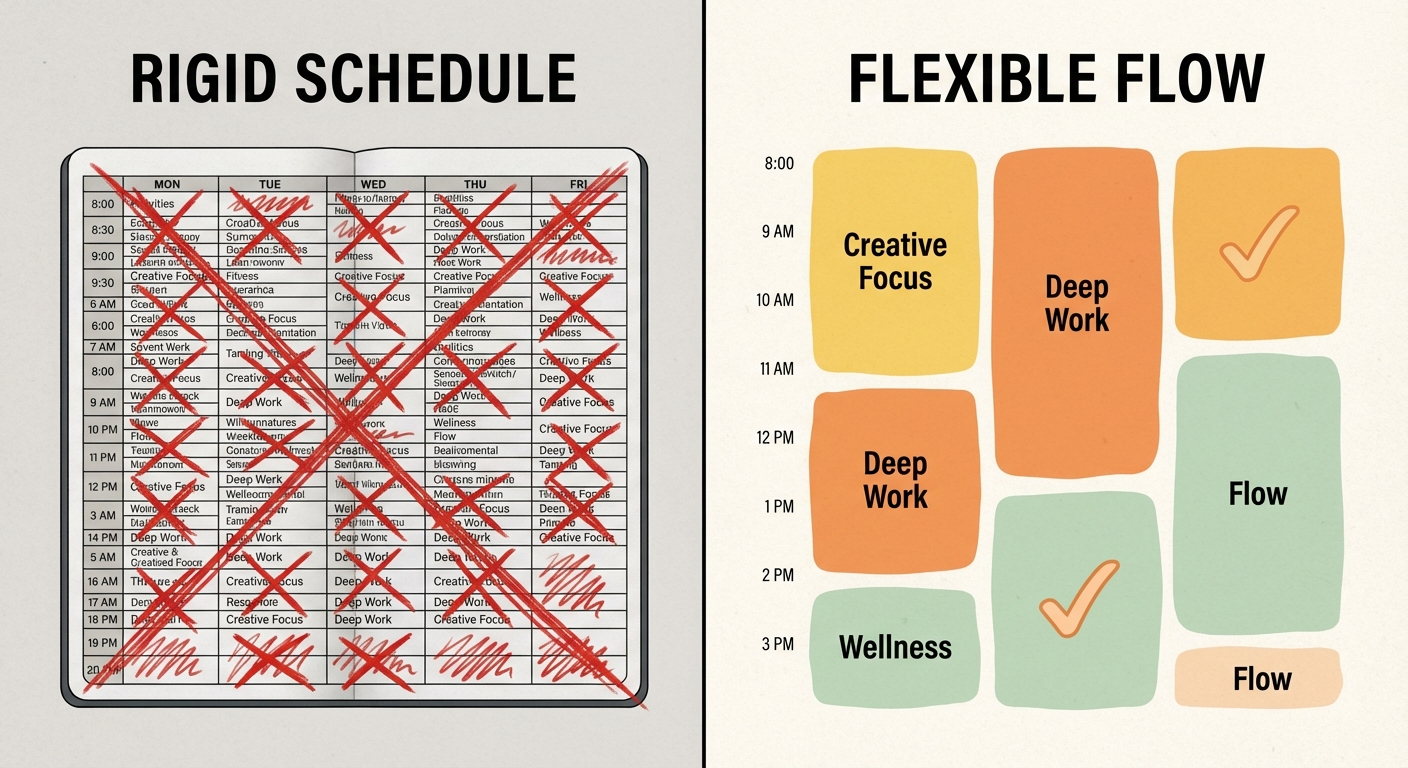
Before we build an ADHD-friendly system, it helps to understand why standard approaches fall apart. If you have tried scheduling before and abandoned it within a week, you are not lazy. The system was wrong for your brain.
The Time Blindness Problem
People with ADHD frequently experience time blindness — a genuine neurological difficulty in perceiving how much time has passed or how long a task will take. You sit down to "quickly check email" and 90 minutes vanish. You estimate a task will take 30 minutes, but it actually takes two hours.
Traditional schedules assume you can accurately estimate task duration. ADHD time blindness means you almost certainly cannot, at least not without deliberate strategies and external supports.
The Transition Tax
Switching between tasks costs everyone some mental energy. But for ADHD brains, task switching carries a much heavier "transition tax." You might need 10-15 minutes to mentally disengage from one activity and ramp up on another. Standard schedules that pack tasks back-to-back ignore this entirely.
The Perfectionism Trap
Many people with ADHD develop perfectionist tendencies as a coping mechanism. When a traditional schedule goes off-track (and it will), the perfectionist response is to abandon the entire system. One missed block becomes "I failed at scheduling," which becomes "scheduling does not work for me."
The Novelty Problem
ADHD brains crave novelty. A rigid, identical schedule that repeats every day will lose its motivational pull within a week. Traditional scheduling treats consistency as the goal. For ADHD, sustainable structure requires built-in variety.
The Science Behind Time Blocking and ADHD
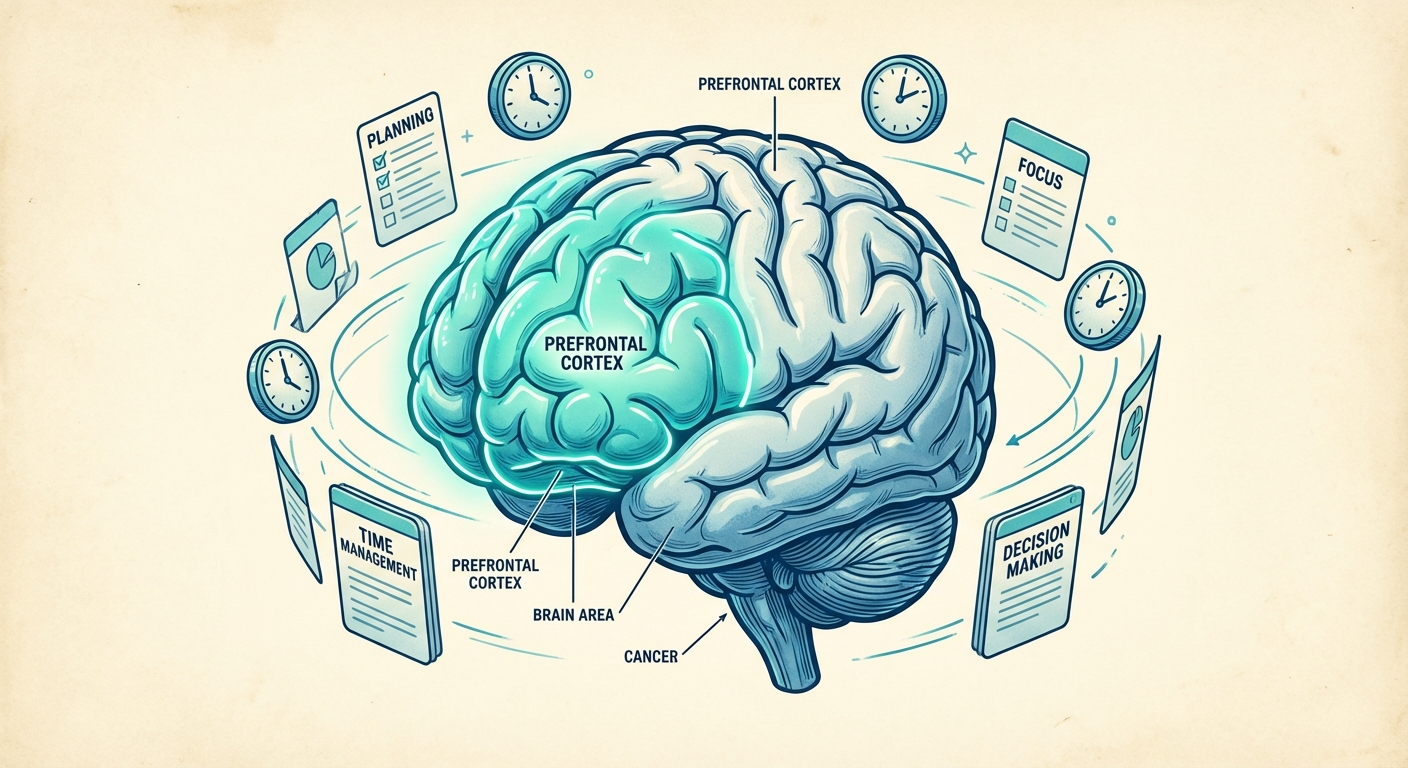
Time blocking works for ADHD because it offloads executive function demands onto an external system. Instead of relying on your prefrontal cortex to prioritize in real-time — something ADHD makes genuinely harder — you do the prioritizing once during a planning session and then follow the structure.
Research published in Frontiers in Psychology has shown that external structure and environmental cues significantly improve task performance in individuals with ADHD. Time blocking creates exactly these kinds of cues: visual schedules, defined start and stop times, and clear expectations for each portion of the day.
There is also a working memory component. ADHD affects working memory, which means holding multiple tasks and priorities "in your head" is cognitively expensive. A time-blocked schedule acts as an external working memory system — everything you need to remember about your day exists outside your brain, on a calendar or planner you can reference.
The dopamine angle matters too. Starting a task is one of the hardest parts of ADHD. Time blocking reduces the "activation energy" needed to begin because the decision of what to do is already made. You only need to overcome the inertia of starting, not the combined weight of deciding and starting simultaneously.
How to Start Time Blocking With ADHD: Step by Step
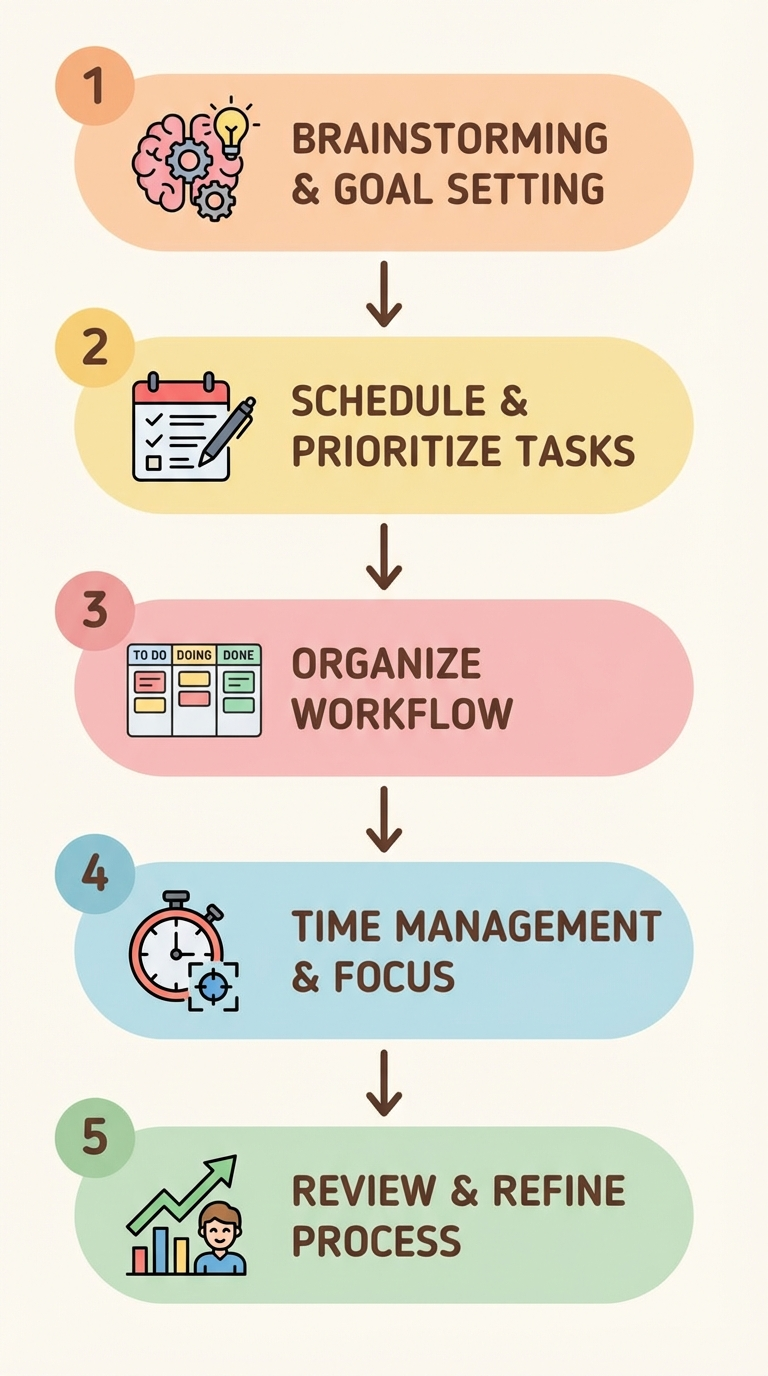
This is where theory meets practice. Follow these steps to build a time blocking system that actually sticks with an ADHD brain.
Step 1: Track Your Natural Energy Patterns (3-5 Days)
Before blocking anything, spend a few days noticing when you naturally focus best. Most people with ADHD have distinct energy windows — maybe you are sharpest between 9-11 AM, hit a wall after lunch, and get a second wind at 4 PM. Your time blocks should align with these patterns, not fight them.
Write it down simply: "Morning = high focus. 1-3 PM = low energy. Late afternoon = creative burst." That is enough to start.
Step 2: Categorize Your Tasks Into Types
Sort everything you need to do into three categories:
- Deep focus work — tasks requiring sustained concentration (writing, analysis, creative work)
- Administrative tasks — email, scheduling, routine paperwork
- Low-energy tasks — filing, organizing, simple data entry
Match these categories to your energy patterns. Deep focus goes in your peak windows. Admin and low-energy tasks fill the valleys.
Step 3: Start With Anchor Blocks Only
Do not try to block your entire day on week one. Start with 2-3 "anchor blocks" — the most important recurring tasks that benefit most from dedicated time. Everything else stays flexible.
For example:
- 9:00-10:00 AM — Deep focus work (your most important task)
- 1:00-1:30 PM — Email and messages
- 3:30-4:15 PM — Planning and prep for tomorrow
That is it for week one. Three blocks. The rest of your day stays open. This approach prevents the overwhelm that causes most ADHD scheduling attempts to collapse immediately.
Step 4: Build in Buffer Blocks
This is the most important ADHD adaptation. Between every time block, schedule a 10-15 minute buffer. Label it "transition" or "buffer" — this is not wasted time. This is where you:
- Mentally close out the previous task
- Stand up, stretch, get water
- Review what is coming next
- Allow for tasks that ran slightly over time
Without buffers, one delayed task cascades through your entire day, triggering the perfectionism-abandonment cycle.
Step 5: Review and Adjust Weekly
At the end of each week, spend 10 minutes reviewing what worked and what did not. Ask yourself:
- Which blocks did I actually complete?
- Where did I consistently run over time?
- Were my energy assumptions accurate?
- What needs to shift next week?
This weekly review is not about grading yourself. It is about calibrating the system to fit your actual brain and life. If you want to build a consistent review habit, tracking it can help — check out our guide on building a daily review habit for a framework that pairs well with time blocking.
ADHD-Friendly Time Blocking Templates
Here are two templates designed specifically for ADHD brains. Use them as starting points and customize ruthlessly.
Template 1: The Minimal Anchor System (Beginners)
| Time | Block | Notes |
|---|---|---|
| 8:30-9:00 | Morning runway | Coffee, review today's blocks |
| 9:00-9:45 | Deep focus block 1 | Most important task only |
| 9:45-10:00 | Buffer | Transition + movement |
| 10:00-10:30 | Admin block | Email, messages, quick tasks |
| 10:30-12:00 | Flexible time | Whatever needs attention |
| 12:00-1:00 | Lunch + recharge | No screens if possible |
| 1:00-1:45 | Deep focus block 2 | Second priority task |
| 1:45-2:00 | Buffer | Transition + snack |
| 2:00-3:30 | Flexible time | Meetings, calls, varied work |
| 3:30-4:00 | Wrap-up block | Tomorrow's plan, loose ends |
Template 2: The Energy-Mapped Day (Intermediate)
| Time | Block | Energy Level |
|---|---|---|
| 8:00-8:30 | Launch sequence | Low → building |
| 8:30-9:30 | Creative deep work | Peak energy |
| 9:30-9:45 | Buffer | Reset |
| 9:45-10:30 | Collaborative work | High energy |
| 10:30-10:45 | Buffer | Reset |
| 10:45-11:30 | Second deep work | Moderate-high |
| 11:30-12:30 | Lunch + movement | Recharge |
| 12:30-1:15 | Admin batch | Low energy |
| 1:15-1:30 | Buffer | Reset |
| 1:30-2:30 | Flexible/meeting block | Variable |
| 2:30-2:45 | Buffer | Reset |
| 2:45-3:30 | Afternoon focus block | Second wind |
| 3:30-4:00 | Plan tomorrow + shutdown | Winding down |
Notice the pattern: both templates use buffer periods, both front-load demanding work, and both include a "plan tomorrow" block at the end. That final planning block is especially important for ADHD — it means you never face a blank morning with no structure.
For more strategies on managing your energy throughout the day, see our guide on managing energy levels with ADHD.
Handling Common ADHD Roadblocks

Even with an ADHD-adapted system, you will hit obstacles. Here is how to handle the most common ones.
"I Cannot Start the Block"
Task initiation difficulty is one of the hallmark challenges of ADHD. When your block arrives and you cannot start:
- Shrink the task. Instead of "write report," make it "open the document and write one sentence." Often, starting is the only hard part.
- Use a body doubling strategy. Work alongside someone (in person or virtually) for accountability. Even a silent video call can help. Check out our body doubling guide for ADHD for practical ways to implement this.
- Set a visible timer. Seeing time pass externally compensates for time blindness and creates gentle urgency.
"I Got Hyperfocused and Blew Past My Block"
Hyperfocus is ADHD's double-edged sword. When it locks in on the right task, it is a superpower. When it overshoot your schedule, it creates cascading problems.
The Hyperfocus Protocol:
- Set alarms that require physical movement to dismiss (phone across the room)
- Use a visual timer (Time Timer is excellent for this) placed in your line of sight
- Designate one "overflow block" each day — a flexible period that can absorb hyperfocus spillover
- Accept that some hyperfocus sessions are worth the schedule disruption. Not every deviation is failure.
"My Day Got Derailed and Now I Feel Like Giving Up"
This is the perfectionism trap. The fix is building a "restart ritual" — a 5-minute process for getting back on track at any point in the day:
- Close everything on your screen
- Look at your time blocks
- Find the next upcoming block
- Start there. Ignore everything that was "supposed" to happen earlier.
The blocks you missed are gone. The blocks ahead are still available. Partial days count.
"Time Blocking Feels Too Rigid and Suffocating"
If your time blocking system feels like a cage, it is too tight. Loosen it:
- Reduce blocked time to 50% of your day maximum
- Use category blocks ("creative work") instead of specific task blocks ("write chapter 3")
- Add a daily "wild card" block where you do whatever feels most compelling
- Remember that the structure exists to serve you, not the other way around
Best Tools and Apps for ADHD Time Blocking
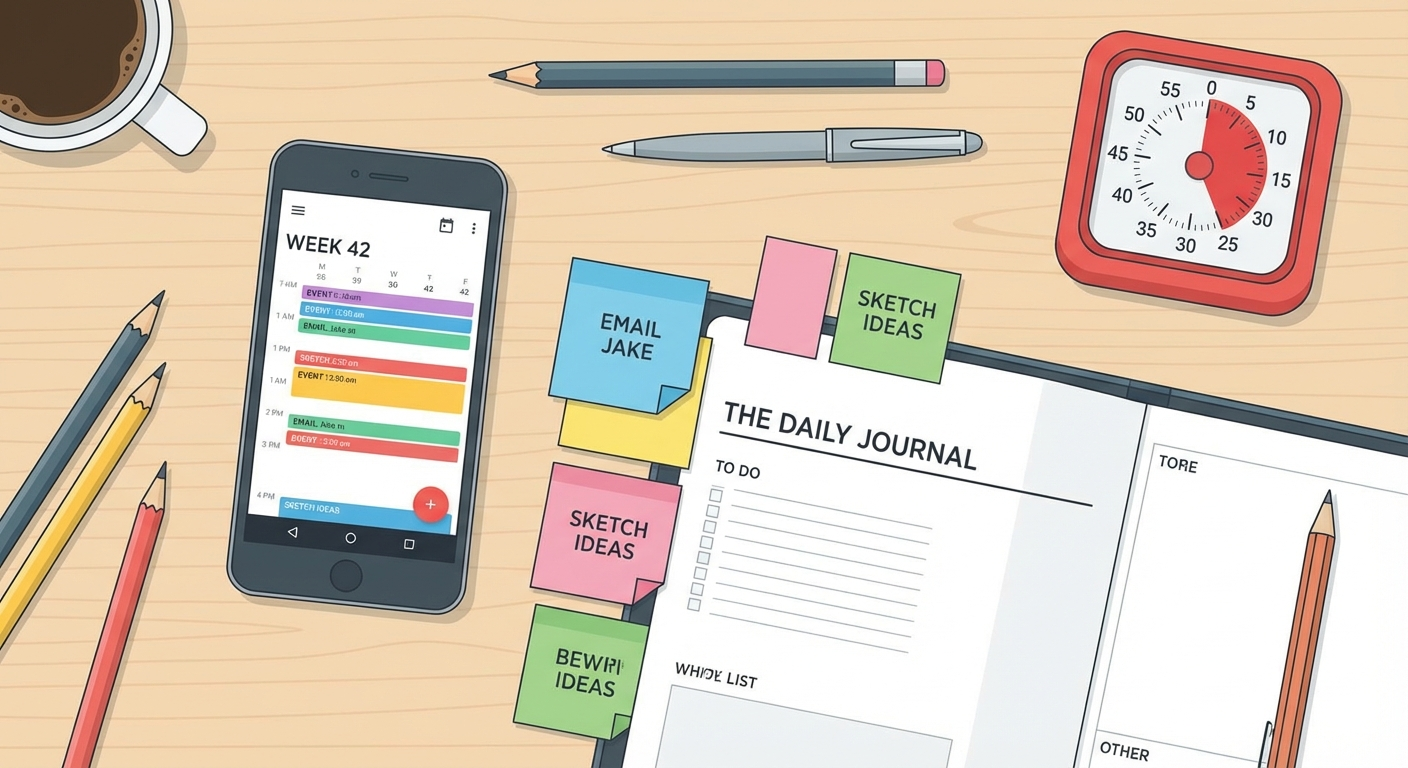
The right tool makes time blocking significantly easier. Here are the best options specifically suited for ADHD brains.
| Option | Best For | Price Range | Rating |
|---|---|---|---|
| Time Timer Visual Timer | Visual time awareness during focus blocks | $30–$50 | ⭐⭐⭐⭐⭐ |
| Structured — Daily Planner App | Apple users who want a visual daily timeline | Free (Pro: $29.99/yr) | ⭐⭐⭐⭐⭐ |
| Tiimo — ADHD Daily Planner | Neurodivergent-first design with visual cues | Free (Pro: $59.99/yr) | ⭐⭐⭐⭐½ |
| Sunsama — Calm Daily Planner | Professionals needing calendar + task integration | $20/month | ⭐⭐⭐⭐½ |
| Panda Planner — Paper Planner | People who focus better with pen and paper | $25–$35 | ⭐⭐⭐⭐ |
| Google Calendar | Budget-friendly option with no learning curve | Free | ⭐⭐⭐⭐ |
Visual guide: How to set up ADHD-friendly time blocks using popular tools and templates
🕐 Time Timer Visual Timer
The gold standard for making time visible. This analog-style timer uses a disappearing colored disk to show remaining time at a glance — essential for combating ADHD time blindness. Available in 3", 8", and 12" sizes.
Best for: Visual time awareness during focus blocks
Price: $30-$50
📱 Structured — Daily Planner App
Built specifically for visual time blocking on iPhone, iPad, and Mac. Drag-and-drop interface with a beautiful timeline view. Imports from Apple Calendar, Reminders, and Todoist. The visual layout clicks instantly for ADHD brains.
Best for: Apple users who want a visual daily timeline
Price: Free (Pro: $29.99/year)
📱 Tiimo — ADHD Daily Planner
Designed by and for neurodivergent people. Tiimo uses visual schedules, customizable icons, and gentle reminders to structure your day without rigidity. Supports routines, time blocking, and habit tracking in one app.
Best for: Neurodivergent-first design with visual cues
Price: Free (Pro: $59.99/year)
📅 Sunsama — Calm Daily Planner
Combines time blocking with task management and integrates with tools like Asana, Trello, Jira, and Gmail. The guided daily planning ritual at the start of each day is excellent for ADHD — it walks you through creating your time blocks step by step.
Best for: Professionals who need calendar + task integration
Price: $20/month
📓 Panda Planner — Paper Planner
If digital tools overwhelm you, Panda Planner provides a structured paper-based system with daily, weekly, and monthly layouts. The tactile experience of writing time blocks by hand can improve memory and commitment for some ADHD brains.
Best for: People who focus better with pen and paper
Price: $25-$35
📅 Google Calendar (Free)
You probably already have it. Google Calendar supports color-coded events, multiple calendars, and repeating blocks. Create a separate "Time Blocks" calendar so you can toggle your structure on and off without affecting appointments.
Best for: Budget-friendly option with no learning curve
Price: Free
Quick note on choosing: The best tool is whichever one you will actually use. If you have tried three apps and abandoned all of them, try paper. If paper planners end up in a drawer, go digital. There is no universally "right" answer — only what works for your brain.
Combining Time Blocking With Other ADHD Strategies
Time blocking works best as a framework that holds other ADHD strategies together. Here are the most effective combinations.
Time Blocking + Pomodoro Technique
Use time blocks to define what you are working on. Use Pomodoro intervals (25 minutes on, 5 minutes off) within each block to maintain focus. This pairing is especially powerful for tasks you find tedious or draining.
Example: Your 9:00-10:00 AM deep focus block contains two Pomodoro cycles with a 10-minute buffer at the end.
Time Blocking + Body Doubling
Schedule your most challenging time blocks during body doubling sessions. Whether it is a co-working meetup, a virtual focus room, or simply working alongside a partner, the social accountability makes it easier to honor the block.
Time Blocking + Task Batching
Group similar small tasks into single blocks instead of scattering them throughout the day. Batch all email into one or two blocks. Batch phone calls together. Batch errands together. This reduces the transition tax because you stay in one cognitive mode.
Time Blocking + the "Two-Minute Rule"
Keep a "quick capture" list beside your time blocks. When a small task pops into your head during a focus block, write it down instead of doing it immediately. During your admin block, knock out everything on the quick capture list that takes under two minutes.
Real-World Time Blocking Mistakes to Avoid
After working with countless ADHD productivity strategies, these are the patterns that sabotage time blocking most frequently.
Mistake 1: Blocking 100% of Your Day Leave at least 30-40% of your day unblocked. Overblocking creates a rigid system that shatters at the first disruption. The unblocked space is not wasted — it is where life happens.
Mistake 2: Making Blocks Too Long Blocks over 60 minutes are risky for ADHD. Start with 25-45 minute blocks. You can always extend them once you have data on what your attention span actually supports (versus what you wish it supported).
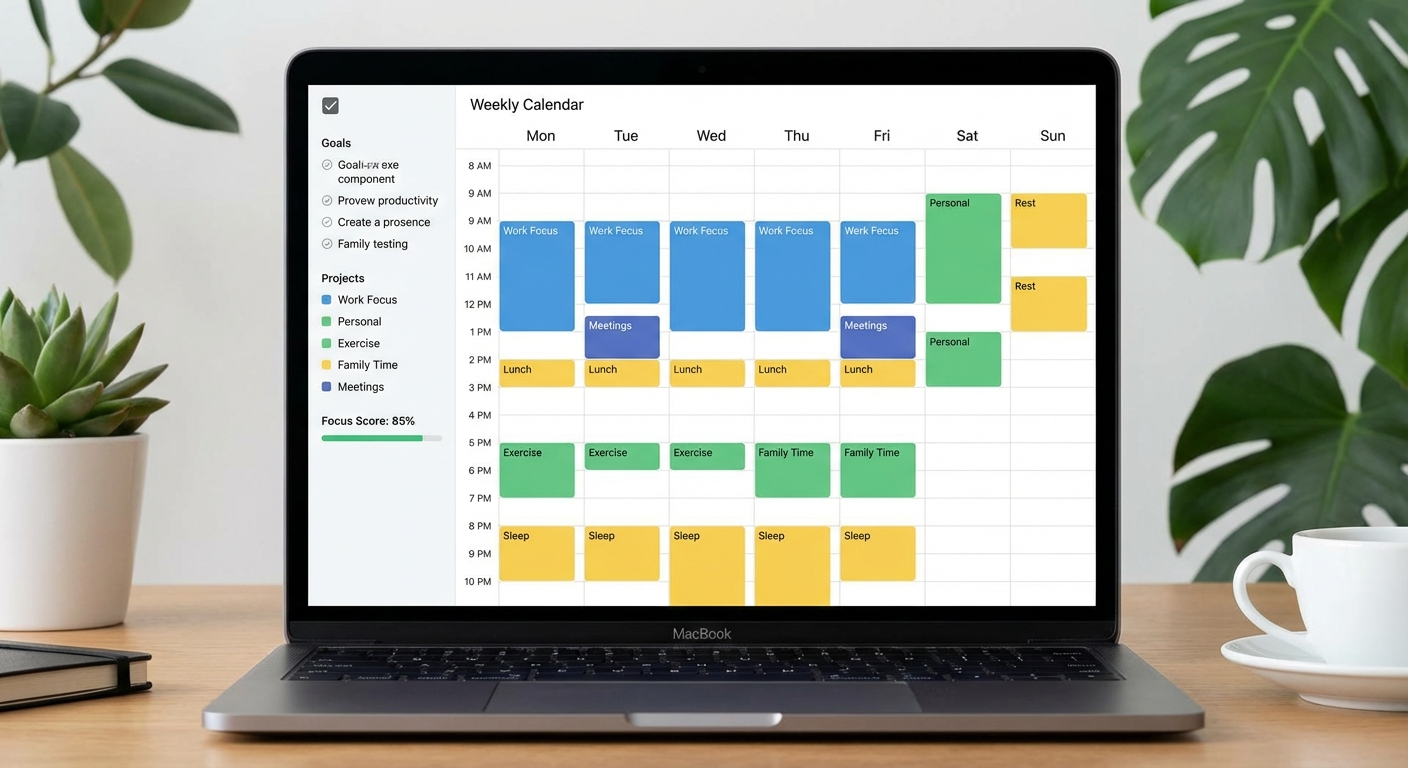
Mistake 3: No Visual Distinction Between Block Types Color-code your blocks. Deep work in blue. Admin in yellow. Breaks in green. Your ADHD brain processes visual cues faster than text labels. Every calendar app supports color coding — use it aggressively.
Mistake 4: Skipping the Evening Planning Session The five-minute evening planning session is what makes tomorrow work. Without it, you wake up to a blank day and the decision paralysis returns. Set a phone alarm at the same time every evening labeled "plan tomorrow."
Mistake 5: Treating Missed Blocks as Failure A 60% completion rate on your time blocks is a success. Seriously. If you are completing more than half your blocks, you are building structure that did not exist before. Perfectionism is the enemy of sustainable systems.
FAQ: Time Blocking for ADHD
Does time blocking work for people with ADHD?
Yes, time blocking can be highly effective for ADHD when adapted properly. The key is using shorter blocks (25-45 minutes), building in buffer time between tasks, and keeping the system flexible. Rigid hour-long blocks often fail because they do not account for ADHD-related time blindness and hyperfocus cycles.
How long should time blocks be for ADHD?
Most ADHD productivity experts recommend starting with 25-minute blocks (similar to the Pomodoro Technique) and gradually extending to 45 minutes as you build the habit. Always include 5-15 minute buffer periods between blocks for transitions, which are particularly challenging for the ADHD brain.
What is the best time blocking app for ADHD?
The best time blocking app depends on your needs. Google Calendar is excellent for visual scheduling. Structured and Tiimo are specifically designed for ADHD and neurodivergent users. Sunsama combines time blocking with task management. The best app is whichever one you will actually use consistently.
Why does traditional scheduling fail for ADHD?
Traditional scheduling fails for ADHD because it assumes consistent focus, accurate time estimation, and smooth task switching. ADHD affects executive function, making all three of these difficult. Time blocking works better because it creates visual structure, reduces decision fatigue, and accounts for transition time between tasks.
Can I combine time blocking with other ADHD productivity methods?
Absolutely. Time blocking pairs well with body doubling, the Pomodoro Technique, and task batching. Many people with ADHD use time blocking as the structural framework and layer in other strategies within individual blocks. For example, you might time block a 45-minute work session and use Pomodoro intervals within it.
How do I handle hyperfocus when time blocking?
Hyperfocus can disrupt time blocking schedules. Build in a "hyperfocus protocol": set alarms that require physical action to dismiss, use visual timers you can see from your workspace, and designate one flexible block per day as a hyperfocus buffer. If you get locked in, the buffer block absorbs the overflow without derailing your entire day.

Sources and Methodology
This guide draws on established research and clinical expertise in ADHD and executive function:
-
Barkley, R. A. (2015). Attention-Deficit Hyperactivity Disorder: A Handbook for Diagnosis and Treatment (4th ed.). Guilford Press. — Comprehensive reference on executive function deficits in ADHD, including time perception and self-regulation challenges.
-
Safren, S. A., Sprich, S. E., Perlman, C. A., & Otto, M. W. (2017). Mastering Your Adult ADHD: A Cognitive-Behavioral Treatment Program (2nd ed.). Oxford University Press. — Evidence-based cognitive-behavioral strategies for ADHD self-management, including scheduling and time management techniques.
-
Langberg, J. M., Epstein, J. N., & Graham, A. J. (2008). "Organizational-skills interventions in the treatment of ADHD." Expert Review of Neurotherapeutics, 8(10), 1549-1561. — Research supporting external organizational systems and structure for improving ADHD outcomes.
Methodology: Recommendations in this guide prioritize strategies supported by clinical ADHD research and adapted from evidence-based cognitive-behavioral interventions. Product recommendations are based on features relevant to ADHD-specific needs (visual cues, flexibility, low friction). We regularly review and update this content to reflect current best practices.
Looking for more ADHD productivity strategies? Explore our guides on focus techniques for ADHD and body doubling for ADHD to build a complete productivity system that works with your brain.